
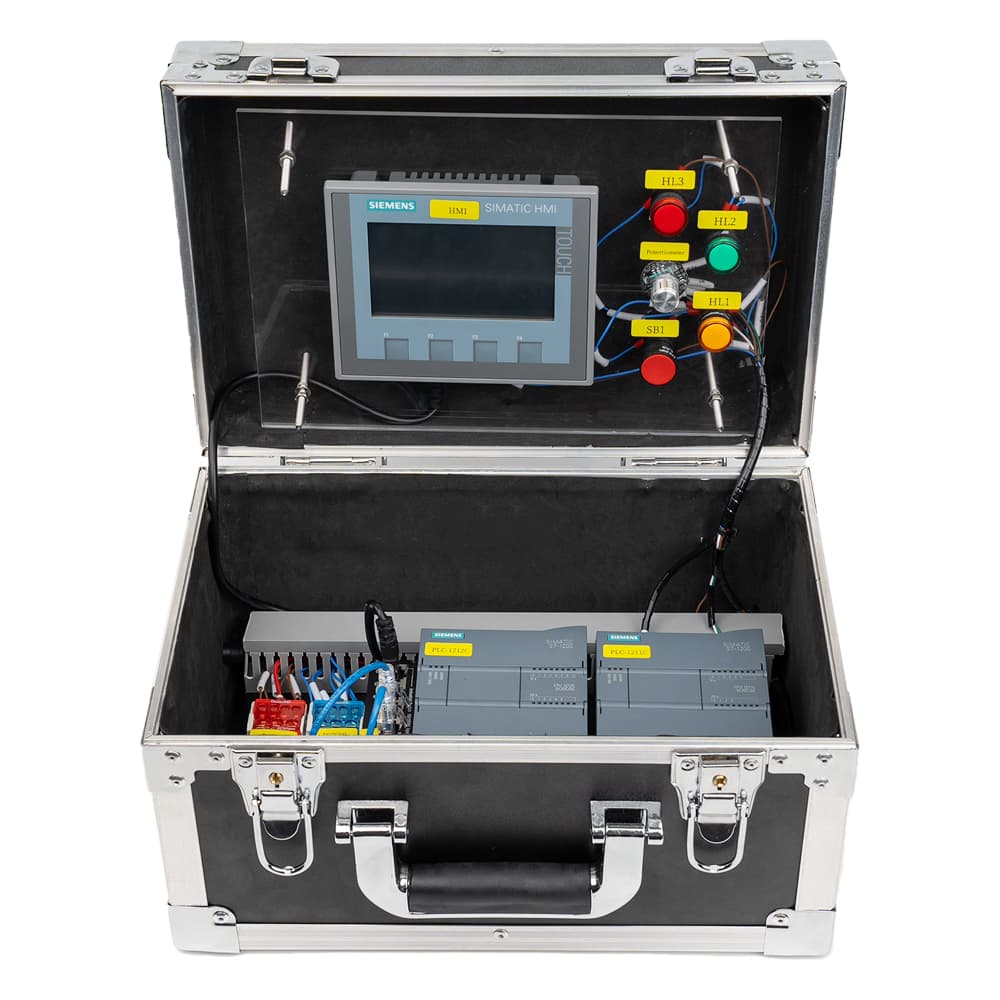
Product image is representative; revision or series may vary. Contact us to request a specific version.
Siemens S7-1200 + ET200SP Communication Training Kit (KTP400 HMI)
AdvancedPart number Communication-Siemens-01
Industrial networking exercises on 2 × SIMATIC S7-1200 CPU 1211C + ET 200SP with a KTP400 Basic HMI: PLC-to-PLC, HMI and Modbus/Ethernet communication, plus analog acquisition.
A$8,034.40
Ships in 10-14 business days
- Manufacturer
- Siemens
- Category
- Industrial Communication
- Skill level
- Advanced
About this training kit
1. Product Introduction
This PLC communication comprehensive training kit is a teaching and research and development platform that integrates mainstream industrial communication technologies. It integrates three core functions - interaction between touch screens and PLCS, peer-to-peer communication between PLCS, and distributed IO control based on PROFINET - through a highly integrated design. Users can personally implement and observe the complete industrial communication process through intuitive indicator lights, buttons and instruments. From theory to practice, they can quickly master the key skills of industrial network integration and data exchange. It is an ideal tool for learning, verifying and developing PLC communication applications.
2. Core advantages
(1) Integrated and comprehensive coverage
This kit discards the piecing together of scattered modules and highly integrates the most mainstream communication scenarios in industrial sites - human-machine interaction (HMI), inter-controller communication (PLC-PLC), and distributed remote IO (PLC-ET200SP) into one. Users can systematically learn and practice the three core communication technologies on one platform without having to configure multiple additional devices, and build a complete knowledge system.
(2) From simple to complex, step by step
The experimental design of the kit follows the scientific learning curve. From the simplest indicator light status monitoring to the complex bidirectional switch quantity control, and then to the analog signal transmission that simulates industrial reality, the experimental difficulty increases step by step. Each step has clear physical feedback (lights on, indicators moving), ensuring that beginners can build confidence and advanced learners can deepen their understanding, achieving a smooth transition from beginner to expert.
(3) Open and flexible, unlimited expansion
The suite adopts an open architecture, with standard hardware interfaces and an open software programming environment. We not only offer basic experimental guidance, but also encourage users to develop custom functions and conduct secondary integration on this hardware platform. Whether you are trying out new communication protocols, adding new sensor modules, or building more complex control systems, this suite offers you ample room for creativity and serves as an incubator for fostering innovation capabilities and solving complex engineering problems.
3. Learning outcomes
Users can complete the following core experiments through this suite and extend them infinitely based on them:
Part One
Experiment on Communication between Touch Screen and PLC
1. HMI Configuration and Basic Communication Experiment
Learn to create a touch screen project, establish a communication connection with the PLC, and achieve the control of the local PLC indicator lights on and off through touch screen buttons.
2. Data Monitoring and Display Experiment
The internal status of two PLCS, counter/timer values, and the input point status of the ET200SP remote module are displayed in real time on the touch screen.
Part Two
Communication Experiment Between PLCS
1. PLC peer-to-peer communication establishment experiment
Configure the communication protocol between two PLCS (such as S7 communication, TCP/IP, etc.) to establish a communication connection, and verify the successful connection through the communication status indicator light.
2. Bidirectional data exchange experiment
Program to achieve data exchange between two PLCS. For example, PLC-A sends one of its own switch signals to PLC-B to control the indicator light of PLC-B. And vice versa.
Part Three
Experiment on Distributed IO Communication between PLC and ET200SP
1. PROFINET Network Configuration Experiment
Learn to configure the PROFINET network in software such as TIA Portal, and connect the ET200SP remote station as an intelligent slave station to the PLC master station.
2. Remote Digital Quantity Control Experiment
(1) Local control remote: Operate the local button. The signal passes through the PLC master station and PROFINET network to control the output point on the ET200SP station and light up the remote indicator light.
(2) Remote control of the local area: Press the button on the ET200SP station, and the signal will be transmitted back to the PLC master station through the network, thereby controlling the local indicator light of the master station to light up.
3. Remote Analog Control Experiment
(1)Twist the local potentiometer to generate an analog voltage signal.
(2) The PLC master station reads this analog value and sends it to the ET200SP station through the PROFINET network.
(3) The ET200SP station drives the connected ammeter, allowing the pointer to change proportionally with the twisting Angle of the potentiometer, visually demonstrating the entire process of remote transmission and control of analog signals.
Part Four
Comprehensive and Extended Experiments
1. Small-scale interlocking control system experiment
Design an integrated scenario to interlock the HMI, two PLCS and ET200SP. For example, set a startup command on the touchscreen and coordinate through PLC-A to enable PLC-B and ET200SP to perform different actions simultaneously.
2. Fault Diagnosis and Troubleshooting Experiment
The instructor manually sets communication faults (such as disconnecting network cables, configuring incorrect addresses, etc.) to train the trainees' ability to conduct systematic fault diagnosis and repair using software tools and hardware indicator lights.
4. Application scenarios
1. Vocational education and college practical training: Applicable to teaching experiments, course design and graduation design of majors such as automation, electrical engineering and mechatronics.
2. In-house training for enterprise employees: As an efficient tool for automation equipment manufacturers and system integrators to provide pre-job training on PLC communication technology to new employees or enhance the skills of in-service engineers.
3. Individual Developers and enthusiasts: Provide a powerful and industrial-oriented research and development platform for automation technology enthusiasts and makers to verify technical solutions and create prototypes.
What's included
- 2 × S7-1200 CPU 1211C
- ET 200SP distributed I/O station
- KTP400 Basic HMI
- PLC programs and HMI project with source code
Specifications
- Controller
- 2 × SIMATIC S7-1200 CPU 1211C + ET 200SP
- Programming software
- TIA Portal (STEP 7)
- HMI
- KTP400 Basic
- Weight
- 6.45 kg
- Dimensions (L × W × H)
- 330 × 210 × 200 mm
Related training kits
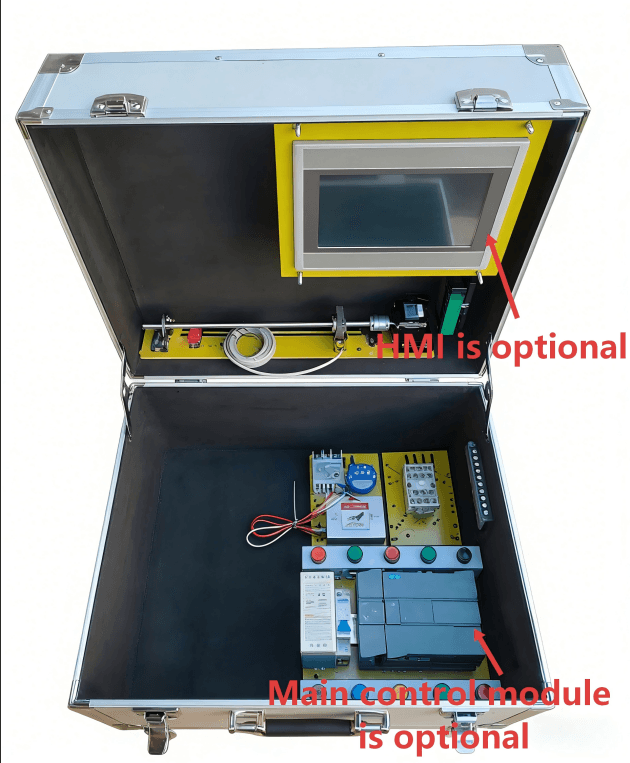
Siemens
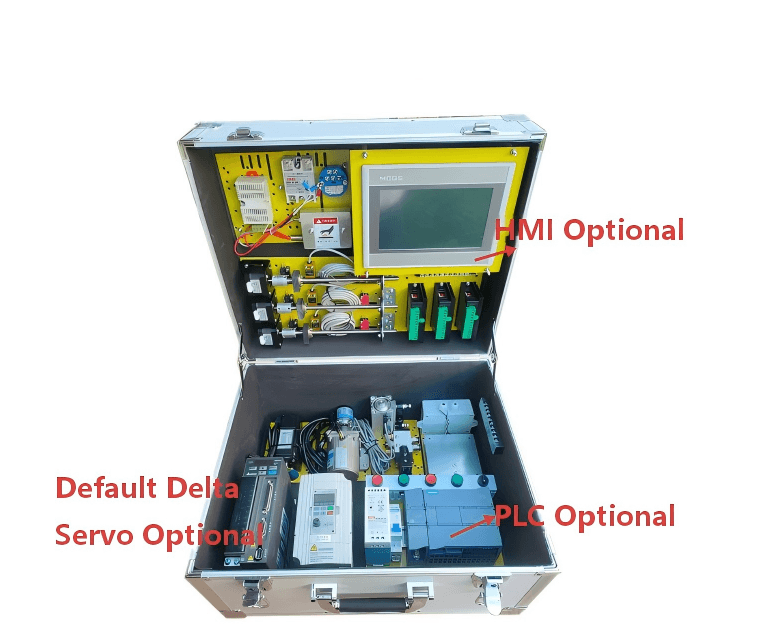
Siemens S7-1200 PLC Training Kit – HMI, Stepper + Temperature PID
Part no. PLC-S7-01
Portable S7-1200 trainer in a protective case with HMI, RS485 and Ethernet, programmed in TIA Portal. Modular configuration as listed in its name.
Ships in 10-14 business days
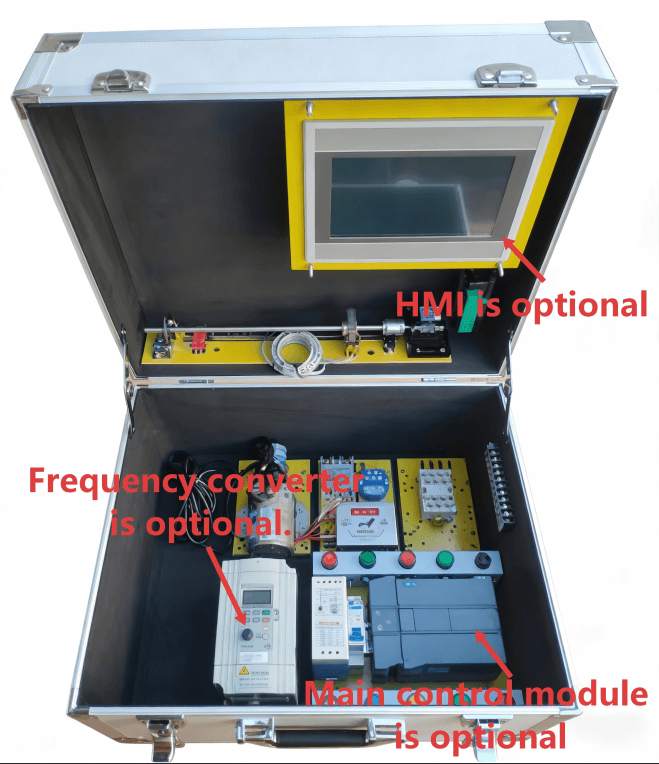
Siemens
Siemens S7-1200 PLC Training Kit – HMI, Stepper, Analog + Inverter
Part no. PLC-S7-02
Portable S7-1200 trainer in a protective case with HMI, RS485 and Ethernet, programmed in TIA Portal. Modular configuration as listed in its name.
Ships in 10-14 business days
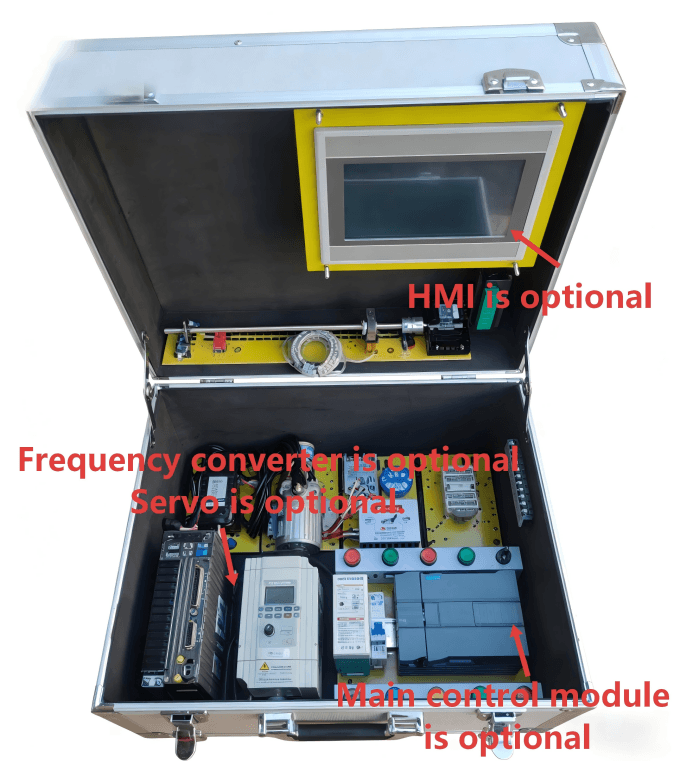
Siemens
Siemens S7-1200 PLC Training Kit – HMI, Stepper, Analog, Inverter + Servo
Part no. PLC-S7-03
Portable S7-1200 trainer in a protective case with HMI, RS485 and Ethernet, programmed in TIA Portal. Modular configuration as listed in its name.
Ships in 10-14 business days
Siemens
Siemens S7-1200 PLC Training Kit – HMI, Stepper, Analog, Inverter, Servo + Weighing
Part no. PLC-S7-04
Portable S7-1200 trainer in a protective case with HMI, RS485 and Ethernet, programmed in TIA Portal. Modular configuration as listed in its name.
Ships in 10-14 business days